Free Digital Planner for iPad
WHAT IS THIS FREE DIGITAL PLANNER? If your paper planners keep getting left at home, this one lives where your tablet lives. This is a complete digital planner built for annotation apps on iPad and Android tablets: 612 landscape pages, Monday start, designed to be written on with a stylus, moved between months and weeks…
WHAT IS THIS FREE DIGITAL PLANNER?
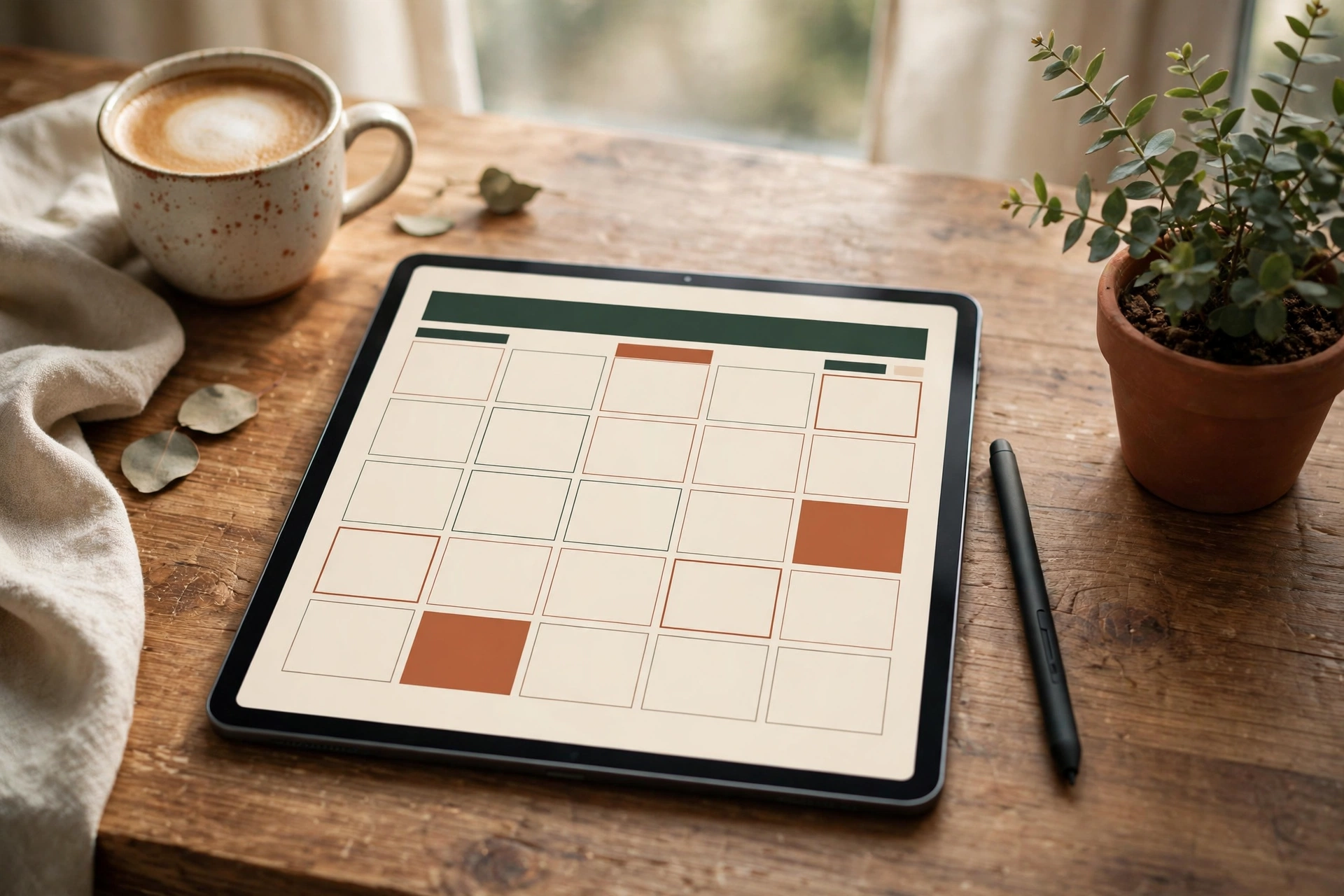
If your paper planners keep getting left at home, this one lives where your tablet lives. This is a complete digital planner built for annotation apps on iPad and Android tablets: 612 landscape pages, Monday start, designed to be written on with a stylus, moved between months and weeks with a tap, and carried everywhere without a single loose sheet. This free digital planner is free to download – no email, no signup, no trial that expires.
It is for anyone who plans on a tablet – students taking notes in lectures, parents running a family’s week from the kitchen counter, freelancers juggling clients, and paper-planner lovers who want the same structure without the weight. It works in GoodNotes, Notability, Noteshelf and Samsung Notes, and in any PDF annotation app that supports writing on PDFs. If you would rather have paper, our printables are the other half of this site – start with our monthly planner printable, which puts a whole month on one printable page.
A word on honesty, because this planner is large and you should know exactly what you are downloading. Navigation is genuinely hyperlinked: tap a section tile on the dashboard on page 1 to jump to that section, tap a month tab (JAN to DEC) at the top of any page to jump to that month, use the bottom bar (INDEX, NOTES, TRACKERS, FINANCE, BACK) to move between sections, or use the PDF bookmarks in your app to jump to any section. One limit to know: the monthly grids have no printed dates to tap, so there are no tap-a-date-to-that-day links – you write the dates in yourself, as with a paper planner.
Table of Contents
WHAT’S INSIDE THIS FREE DIGITAL PLANNER
DASHBOARD AND COVER
Page 1 is the dashboard and index, with tiles for every section, and page 2 is the cover, branded for Planner Print Nest. Start every session from the dashboard and you will never get lost in 612 pages.
YEAR VIEWS: 2025, 2026 AND UNDATED
Three year-at-a-glance pages – one dated 2025, one dated 2026, and one undated for any year – followed by a vision board, yearly goal planner pages and important-dates pages. The undated year view means the planner never expires: when 2026 ends, the undated sections keep working.
MONTHLY, WEEKLY AND DAILY PAGES
Twelve month-at-a-glance pages (January to December), monthly dashboards with top priorities, weekly overview pages (Monday to Sunday), and daily plan pages for the whole year. The monthly pages give you the map, the weekly pages give you the working week, and the daily pages give you the day itself – the same structure as our weekly planner printable, built for a screen instead of a printer.
HABIT, MOOD, FITNESS AND FINANCE TRACKERS
Monthly habit trackers, mood trackers, a fitness tracker and a monthly budget finance tracker, one set per month, so patterns show up across the year instead of disappearing into a notebook. If paper tracking suits you better for one habit, our ADHD daily planner printable pairs well with the digital version for days away from the tablet.
MEAL PLANNER, NOTES AND CHECKLISTS
Weekly meal planner pages, notes pages and checklist notes at the back, so the planner holds the whole household – not just appointments. Everything is in one file, so a meal plan, a budget note and tomorrow’s priorities are never in three different apps.
HOW TO USE THIS FREE DIGITAL PLANNER
- Download the PDF below to your tablet (or to a computer and send it to the tablet with AirDrop, Google Drive or your usual file transfer). The file is about 5 MB, so it downloads quickly even off Wi-Fi.
- Import it into your annotation app: in GoodNotes, choose Import and then “As New Document”; in Notability, choose Import and open it as a note; in Noteshelf and Samsung Notes, open the PDF directly and save it as a notebook. Keep the original download as a backup copy.
- Start from the dashboard on page 1. Tap a section tile to jump to that section – year views, monthly pages, weekly pages, daily pages, trackers, meal planner or notes – tap a month tab at the top of any page to jump to that month, use the bottom bar or the PDF bookmarks to move between sections, and tap INDEX on any page to come back to the dashboard.
- Write with your stylus (or a finger, or typed text boxes) exactly as you would on paper: fill in dates on the undated pages, tick habit boxes, write priorities on the monthly dashboards, and use your app’s pen colours to separate people, subjects or projects.
- Duplicate a page before you reuse it. In GoodNotes, long-press a page and choose Duplicate; in Notability, duplicate the page from the page manager. That way a favourite weekly layout or a blank daily page never runs out.
- At the end of a month, flip back through that month’s tracker pages before you start the next one. The habit and finance trackers are the planner’s memory – a five-minute review turns a month of ticks into a decision about next month.
A NOTE ON PRINTING
This planner was designed for a tablet screen, not a printer: its pages are landscape, sized for an iPad display, and the writing space assumes a stylus. You can print individual pages if you really want to, but they will not match our A4 and US Letter printables, and the hyperlinked dashboard will not work on paper. If you want something to print, use the paper printables on this site instead – this file is for the tablet.
FREQUENTLY ASKED QUESTIONS
Is this free digital planner really free, with no email?
Yes. Download it from this page, no email address, no account and no signup. It is the full 612-page planner, not a sample or a trial, and it does not expire.
Which apps does it work with?
GoodNotes and Notability on iPad are the best fit, and it also opens in Noteshelf, Samsung Notes, ZoomNotes and any PDF annotation app that lets you write on pages. It does not need a special app or a subscription to the planner itself.
Does it work on Android tablets?
Yes. Any Android tablet with a PDF annotation app (Samsung Notes on Samsung tablets is the smoothest option) can open, write on and save the file. The planner is a standard PDF, so it is not locked to Apple devices.
Can I print this planner?
You can print single pages, but it is not designed for printing – pages are landscape and sized for a tablet screen. For paper planning, use our printable planners instead, which are made in A4 and US Letter for home printers. Your free digital planner is ready below for tablet use.
DOWNLOAD YOUR FREE DIGITAL PLANNER FOR IPAD
One file, one year (and then another, thanks to the undated sections), every part of your planning in the tablet you already carry. Download the free digital planner PDF below, import it into GoodNotes or Notability, and start from the dashboard.
Free forever · No email needed · Works with GoodNotes & Notability.